Understanding TradingView: A Comprehensive Overview
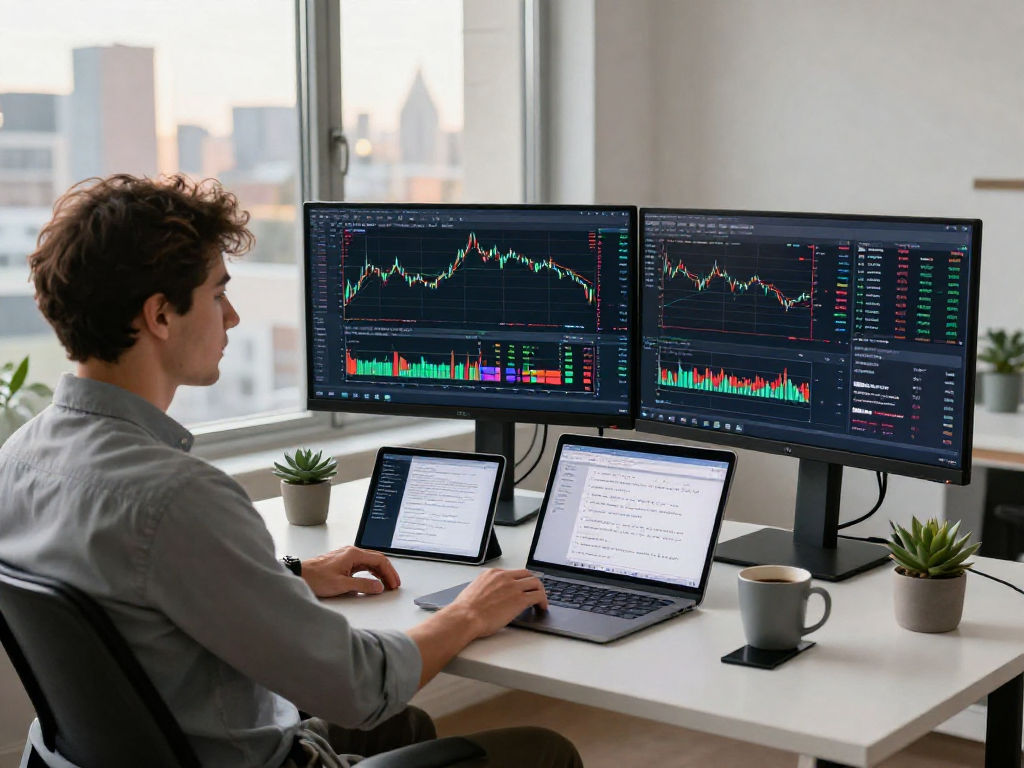
In the rapidly evolving landscape of trading technology, platforms like TradingView have emerged as indispensable tools for traders across various markets. From stocks to cryptocurrencies, TradingView simplifies complex market data, helping users create actionable research workflows. By integrating charts, indicators, and alerts into a single workspace, it enables comprehensive market analysis and strategy testing, catering to both novice and experienced traders.
What is TradingView?
TradingView is a web-based platform that provides advanced financial visualization tools and social networking features tailored for traders and investors. With its user-friendly interface and extensive market coverage including stocks, forex, cryptocurrencies, and derivatives, TradingView allows users to analyze market trends, perform technical analysis, and backtest trading strategies. The platform's collaborative environment encourages users to share insights, strategies, and ideas to enhance trading decisions.
Key Features of TradingView in 2026
As of 2026, TradingView boasts a comprehensive suite of features designed to enhance trading experiences:
- Unified Search Interface: Access diverse markets through a single search entry, making it easier to switch between different asset classes.
- Multi-Layout Support: Customize your workspace with multiple chart layouts to analyze different securities simultaneously.
- Pine Script: Utilize TradingView’s built-in scripting language for creating custom indicators and alerts, empowering users to automate their trading strategies.
- Integrated Alerts: Set alerts based on price movements or technical indicators, allowing traders to respond swiftly to market changes.
- Strategy Tester: Backtest trading strategies using historical data to evaluate their performance before implementing them in live markets.
The Importance of User-Friendly Interfaces
A user-friendly interface is essential for any trading platform, as it directly impacts the user’s ability to make informed trading decisions quickly. TradingView’s interface is designed with simplicity and ease of navigation in mind, allowing users to focus more on analysis rather than learning how to use the tools. The drag-and-drop features and customizable layouts provide flexibility for users to tailor their workspace according to their personal preferences and trading styles.
Comparing Trading Tools: TradingView vs. Competitors
When evaluating trading platforms, it's crucial to understand how they stack up against each other. This comparison highlights the strengths and weaknesses of TradingView compared to its competitors in the market.
Advantages of TradingView Over Other Platforms
One of the standout advantages of TradingView is its comprehensive social trading features. Unlike many other platforms, TradingView allows traders to share their ideas, insights, and strategies in a community-driven environment. This feature fosters a collaborative atmosphere where users can engage with one another, leading to enhanced learning opportunities. Additionally, TradingView's integration of various asset classes into one platform reduces the need for multiple trading tools, making it a more efficient choice for traders.
Common Misconceptions About TradingView
Despite its popularity, several misconceptions about TradingView may deter potential users. One common myth is that TradingView is only suitable for day traders. In reality, the platform is versatile and caters to various trading styles, including swing trading and long-term investing. Furthermore, some believe that TradingView's advanced features are only accessible to experienced traders. However, the platform offers resources and educational materials that empower users of all skill levels to utilize its tools effectively.
Real-World User Experiences and Testimonials
Many traders have shared positive experiences with TradingView, particularly regarding its comprehensive charting capabilities and robust community support. Users have praised the platform's ease of use, stating that it significantly enhances their ability to analyze market trends and execute trades efficiently. Testimonials highlight the real-time data feeds and customizable alerts as crucial features that help users stay ahead of market movements.
Building Effective Trading Strategies with TradingView
Creating effective trading strategies is essential for any trader looking to succeed in the financial markets. TradingView provides a wealth of tools to aid in the development of such strategies.
Step-by-Step Guide to Setting Up Your Trading Workspace
To maximize your trading experience, it's important to set up your TradingView workspace effectively. Follow these steps:
- Choose Your Layout: Select a layout that best suits your trading style. For daily trading, consider multiple charts side by side, while swing traders may prefer a single chart with extended timeframes.
- Add Indicators: Incorporate essential indicators like moving averages, RSI, or MACD directly onto your charts to aid in your analysis.
- Set Alerts: Configure price alerts for key levels based on your trading plan to ensure you don’t miss critical market movements.
- Save Your Workspace: Save your customized setup so that you can return to it effortlessly every time you log in.
Utilizing Pine Script for Custom Trading Strategies
Pine Script is a powerful feature that enables users to create personalized indicators and strategies directly within TradingView. By understanding the fundamentals of Pine Script, traders can automate their strategies and optimize their trading processes. For example, a trader can write a script that generates alerts when specific conditions in the market are met, allowing for more systematic trading decisions.
Backtesting Strategies Using TradingView's Tools
Backtesting is a critical step in validating any trading strategy. TradingView’s Strategy Tester allows users to run historical simulations to evaluate their strategies against past market data. This enables traders to understand potential risk and reward dynamics before committing real capital. By analyzing backtest results, traders can refine their strategies, adjust parameters, and gain confidence in their trading plans.
Maximizing Your Trading Efficiency with Alerts and Notifications
Effective trading requires staying informed about market changes in real time. TradingView's alert system is designed to enhance trading efficiency.
Setting Up Price and Indicator Alerts
To leverage TradingView’s alert functionalities, users can set up alerts for various conditions, such as price levels, breakout patterns, or technical indicators. For instance, traders can configure alerts to notify them when the price crosses a defined level or when a technical indicator signals a potential entry or exit point. This feature allows traders to focus on other activities while still being alerted to important market movements.
Integrating Economic News with TradingView Alerts
Integrating economic news into your trading strategy can significantly impact your decision-making process. TradingView allows users to add economic calendars that provide real-time updates on significant macroeconomic events. By aligning alerts with these events, traders can prepare for potential volatility and adjust their positions accordingly.
Best Practices for Managing Trading Notifications
While alerts can enhance trading effectiveness, managing them effectively is crucial. Here are some best practices:
- Be Selective: Only set alerts for key levels or events that fit your trading strategy to avoid information overload.
- Review and Adjust: Regularly review and adjust your alerts as market conditions evolve to maintain their relevance.
- Use Different Notification Methods: Leverage both app notifications and email alerts to ensure you receive important updates promptly.
Future Trends in Trading Technology: What 2026 Holds
As the trading environment continues to evolve, several trends are emerging that are likely to shape the future of trading platforms like TradingView.
Emerging Technologies in Trading Platforms
Emerging technologies, including artificial intelligence (AI) and machine learning, are rapidly transforming the trading landscape. These technologies will enable platforms like TradingView to offer enhanced predictive analytics, allowing traders to make more informed decisions based on sophisticated algorithms that analyze vast amounts of market data.
Predictions for TradingView Enhancements
In the coming years, we can expect TradingView to introduce even more advanced features, such as enhanced customization options for charts, improved real-time data feeds, and expanded integration with third-party trading tools and platforms. These advancements will further empower traders to develop their strategies more effectively and execute trades with greater precision.
The Role of AI in Future Trading Strategies
AI will play an increasingly significant role in the development of trading strategies. As platforms like TradingView incorporate AI-driven tools, traders will gain access to predictive models that can analyze historical patterns and forecast future market behavior. This capability will enable users to optimize their strategies and react swiftly to changing market conditions.
What is TradingView's most significant feature?
TradingView's most significant feature is arguably its community aspect, which allows users to share ideas, analyses, and strategies with one another. This connectivity fosters a collaborative environment that enhances learning and trading effectiveness.
How can I customize alerts on TradingView?
Customizing alerts on TradingView is simple. Users can navigate to the alerts section, select the criteria for their alerts, and choose the notification methods that suit their preferences, whether through the app or via email.
Is TradingView suitable for beginners?
Yes, TradingView is designed to cater to traders of all experience levels, including beginners. Its user-friendly interface, educational resources, and community support provide a conducive learning environment for new traders.
What are the advantages of using Pine Script?
Pine Script offers significant advantages, including the ability to create custom indicators and alerts that perfectly align with a trader's specific strategies and preferences. This flexibility allows for tailored trading solutions that can improve trading outcomes.
How has TradingView changed in the last five years?
Over the past five years, TradingView has evolved significantly, incorporating advanced features like Pine Script, enhanced social trading capabilities, and improved charting tools. These changes have helped the platform maintain its position as a leading choice among traders worldwide.